MMU x HATS - asciinema.org
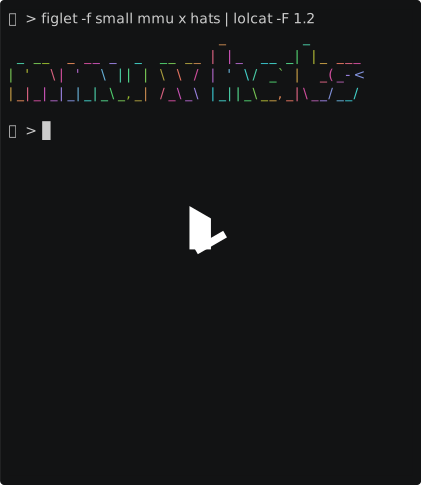
MMU x HATS
by
smith42
10 days ago
Share
Download
.cast - original recording
.txt - plain text version
.gif - animated GIF
macOS
xterm-256color
zsh
56 views
The Multimodal Universe (MMU) pools together 80TB++ of data from over 30 astronomical surveys into one place. Crossmatching (linking observations of the same object across surveys) is its killer feature, but until now it required downloading hefty chunks of data to local disk. We got tired of needing a cluster just to run a crossmatch, so we gathered in the UniverseTBD and Hugging Science Discord servers to fix that. We’ve converted the MMU to the parquet-based HATS format so that you can use the LSDB and Hugging Face ecosystems to crossmatch from a Macbook Air.
Write up here: https://huggingface.co/blog/hugging-science/multimodal-universe-hats
Share this recording
×
https://asciinema.org/a/1259218
Copied!
Append ?t=30 to start the playback at 30s, ?t=3:20 to start the playback at 3m 20s.
See sharing docs<br>for more link customization options.
Embed as image link
Use snippets below to display a preview image linking to this recording.
Ideal for places where scripts are not allowed, such as project README files.
HTML:
Copied!
Markdown:
[](https://asciinema.org/a/1259218)
Copied!
Embed the player
If you're embedding on your own page or on a site which permits script tags,<br>you can use the full player widget:
Copied!
Paste the above script tag where you want the player to be displayed on your page.
See embedding docs<br>for more player customization options.
Download this recording
×
You can download this recording in asciicast v3 format, as a .cast file.
Download
Replay in terminal
You can replay the downloaded recording in your terminal using the<br>asciinema play<br>command:
asciinema play 1259218.cast
Copied!
If you don't have asciinema CLI installed then see installation instructions.
Use with stand-alone player on your website
Download asciinema player from
the releases page
(you only need .js<br>and .css<br>file), then use it like this:
// @license magnet:?xt=urn:btih:8e4f440f4c65981c5bf93c76d35135ba5064d8b7&dn=apache-2.0.txt Apache-2.0<br>AsciinemaPlayer.create(<br>'/assets/1259218.cast',<br>document.getElementById('player'),<br>{ cols: 48, rows: 25 }<br>);<br>// @license-end
See
asciinema player quick-start guide
for full usage instructions.
Generate GIF from this recording
×
While this site doesn't provide GIF conversion at the moment, you can<br>still do it yourself with the help of asciinema GIF generator utility - agg.
Once you have it installed, generate a GIF with the following<br>command:
agg https://asciinema.org/a/1259218 demo.gif
Copied!
Or, if you already downloaded the recording file:
agg demo.cast demo.gif
Copied!
Check agg --help for all available options. You can change font<br>family and size, select color theme, adjust speed and more.
See agg manual for<br>full usage instructions.